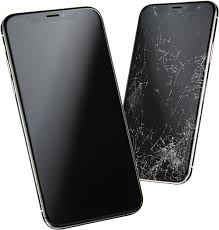
15 steps on how to replace a Samsung smartphone broken Screen.
Assess the Damage:
Make sure you have a clear understanding of the extent of the damage. Is it just the glass that’s cracked, or is the display underneath damaged as well? Sometimes, you may need to replace both the glass and the display, which can be more complicated and expensive.
Get the Right Replacement Parts:
Purchase a replacement screen for your specific Samsung phone model. Make sure it’s compatible with your device.
Gather Tools:
You’ll need some tools for this job, including a set of small screwdrivers, a plastic spudger or opening tool, a heat gun or hair dryer, and possibly some adhesive if your replacement screen doesn’t come with it pre-applied.
Prepare Your Workspace:
Find a clean, well-lit workspace with a flat surface. Lay down a soft cloth or towel to protect your phone and the surface you’re working on.
Power Down the Phone:
Make sure your phone is turned off before you begin disassembly.
Remove the Back Cover and Battery (if applicable):
If your Samsung phone has a removable back cover and battery, remove them to access the internal components.
Heat the Adhesive:
Use a heat gun or hair dryer to gently heat the edges of the broken screen. This will soften the adhesive holding the screen in place and make it easier to remove.
Pry Off the Broken Screen:
Use a plastic spudger or opening tool to carefully pry off the broken screen. Work slowly and gently to avoid damaging other components.
Disconnect Cables:
Once the broken screen is removed, disconnect any cables or connectors attaching it to the phone’s motherboard.
Install the Replacement Screen:
Connect the cables from the replacement screen to the corresponding connectors on the motherboard. Carefully place the new screen in position, making sure it lines up properly with the phone’s frame.
Reassemble the Phone:
Once the new screen is in place, reverse the disassembly process to put your phone back together. Make sure all screws are tightened securely and all cables are properly connected.
Test the Screen:
Before fully reassembling the phone, power it on and test the new screen to make sure it’s functioning properly.
Apply Adhesive (if necessary):
If your replacement screen didn’t come with adhesive pre-applied, you may need to apply some adhesive around the edges of the screen to secure it in place.
Reinstall the Back Cover and Battery (if applicable):
If you removed the back cover and battery, reinstall them now.
Final Testing:.
Power on your phone again and make sure everything is working correctly. Test the touchscreen, display, and other functions to ensure the replacement was successful.
If you’re uncomfortable performing these steps yourself you can contact us via 0706731791.
Phone screen repair in Nairobi