
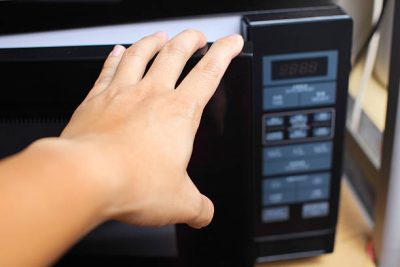
If the touchpad on your microwave is not working, it can be frustrating, but there are several potential reasons for this issue. Here are some common causes and ways to troubleshoot and fix a microwave touchpad that is not working:
-
Power Cycle the Microwave:
- Fix: Unplug the microwave from the power outlet and wait for about 1-2 minutes. Then, plug it back in and check if the touchpad is responsive.
-
Check for Child Lock Feature:
- Cause: Some microwaves have a child lock feature that can disable the touchpad.
- Fix: Check the user manual for instructions on how to activate or deactivate the child lock feature. Typically, it involves pressing and holding a specific button or a combination of buttons for a few seconds.
-
Inspect for Physical Damage:
- Cause: Physical damage to the touchpad, such as cracks or liquid spills, can affect its functionality.
- Fix: Inspect the touchpad for any visible damage. Clean the touchpad with a soft, damp cloth if there are spills. If there is physical damage, consider replacing the touchpad.
-
Reprogram the Control Panel:
- Cause: The control panel may need to be reprogrammed.
- Fix: Refer to the user manual for instructions on how to reprogram the control panel. This may involve resetting the microwave or entering a specific sequence of button presses.
-
Perform a Hard Reset:
- Fix: Unplug the microwave, press and hold the power button for 10-15 seconds, and then plug it back in. This can sometimes reset the control panel.
-
Inspect Ribbon Cable Connection:
- Cause: The ribbon cable connecting the touchpad to the control board may be loose or disconnected.
- Fix: Open the microwave control panel (following safety precautions and with the power unplugged), check the ribbon cable connection, and reattach it securely.
-
Check Control Board:
- Cause: A malfunctioning control board can impact the touchpad’s operation.
- Fix: Inspect the control board for any visible damage or burnt components. If there are issues, consider replacing the control board.
-
Test Touchpad with Multimeter:
- Cause: The touchpad may have a malfunctioning switch or sensor.
- Fix: Test the touchpad’s individual switches or sensors with a multimeter. Replace any faulty components.
-
Professional Assistance:
- If you’re unable to identify or fix the issue, or if the microwave has complex internal components, it’s advisable to seek the assistance of a qualified appliance technician. They can perform a more in-depth diagnosis and address any underlying problems.
Always prioritize safety when working with appliances, and if in doubt, consult with a professional. Additionally, refer to the microwave’s user manual for specific troubleshooting instructions and recommendations related to the touchpad. If the microwave is still under warranty, contact the manufacturer for assistance.
Check our microwave repair services
Email us at: admin@nextfix.co.ke
Call us on: 0706731791 or 0729150253
Other service we offer: